Repeated Data Entry
Staff re-key customer, job, order, item or invoice information into more than one platform.
Isoft connects ERP, CRM, TMS, accounting, inventory and specialist platforms so trusted information moves reliably—without repeated entry, manual exports or teams chasing different versions of the truth.
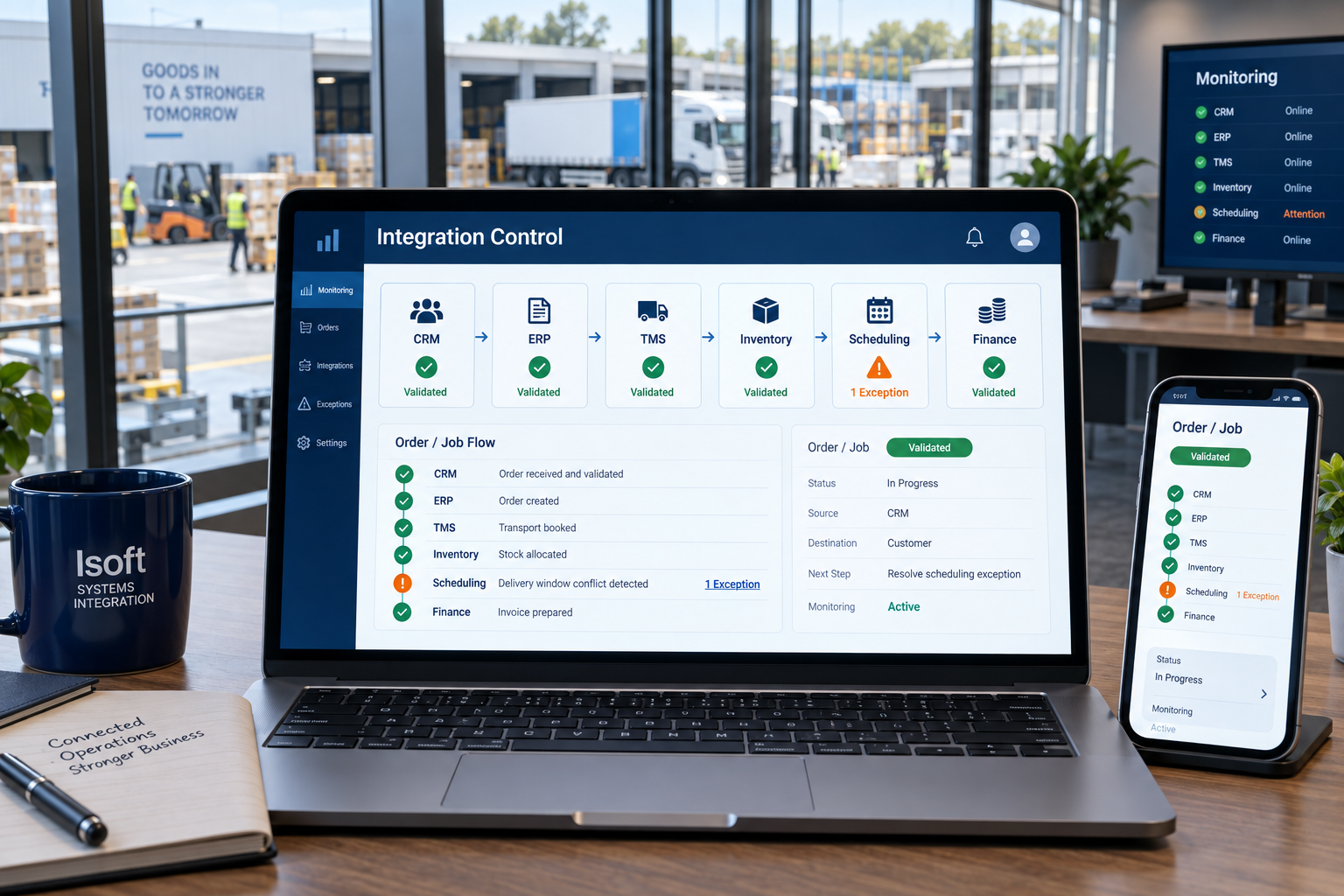
The technical gap shows up as an operational problem: duplicated work, delayed updates, missing charges, inconsistent records and managers unable to trust what they see.
Staff re-key customer, job, order, item or invoice information into more than one platform.
Spreadsheets and files are downloaded, reformatted, checked and uploaded as part of routine work.
One team finishes its work, but the next system or department does not receive complete information promptly.
Different systems hold conflicting customer, product, asset, job or status information.
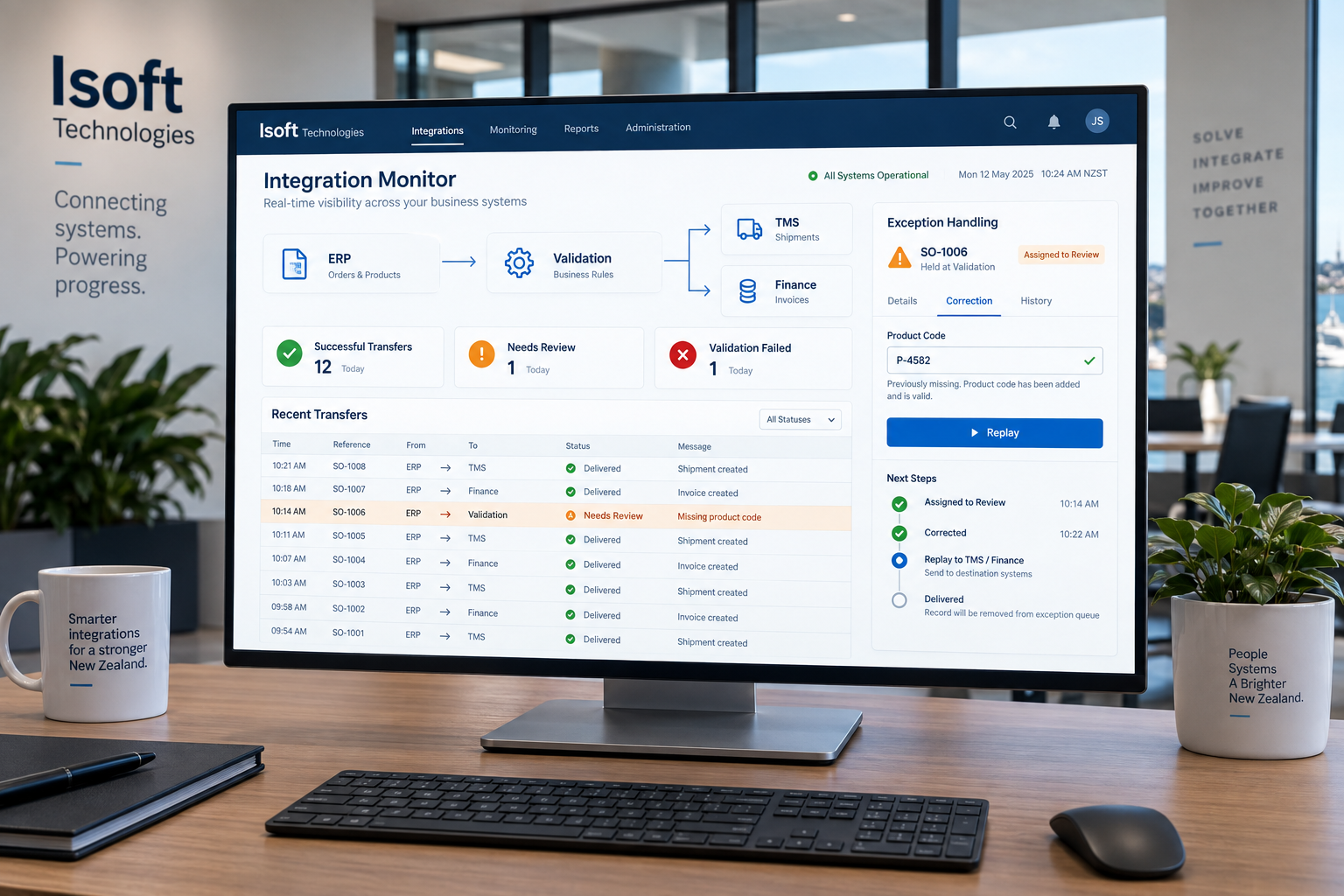
Transfers fail without clear ownership, alerting or a safe way to correct and replay the affected record.
Older or specialist platforms provide limited APIs, unusual formats or restricted access that require careful engineering.
Business-critical integration must define ownership, validate the information, translate formats, handle exceptions and make failures visible.
Read an event, API request, message, database change or scheduled file.
Check required fields, identities, formats, duplicates and business rules.
Map codes, structures, units and references into the destination format.
Update the destination safely and preserve traceable transaction status.
Alert failures, manage exceptions and replay corrected records safely.
Not every platform offers a modern API. We assess the available interfaces, operating risk, data ownership and update frequency before recommending an integration pattern.
Exchange customers, products, orders, inventory, production and financial references.
Keep enquiries, customers, quotes, requests and customer-visible status aligned.
Move jobs, items, allocations, dispatch updates, proof and completion events.
Send validated customers, charges, orders and completion information for invoicing.
Synchronise product, availability, account, order and fulfilment information.
Connect field applications, scanning tools, partner platforms and industry software.
An industrial equipment and parts supplier needed a modern customer ordering experience without duplicating product maintenance or replacing its established back-office system.

The integration is not complete when the first test record arrives. It must be supportable when data is incomplete, a vendor changes something or a destination becomes unavailable.
Confirm the workflow, systems, owners, interfaces, constraints and business impact.
Define fields, identifiers, mappings, validation, security, errors and recovery.
Test happy paths, duplicates, missing data, outages and real operating scenarios.
Track integration health, resolve exceptions and manage platform changes.
Sometimes. Alternatives may include supported file imports and exports, SFTP, EDI, database access or an approved vendor interface. We first confirm what the system owner supports and whether the method can be operated safely.
No. Real-time integration adds complexity and is justified only when the operation needs immediate updates. Scheduled or event-based transfer may be safer and more economical for many workflows.
That must be defined before development. Customer, product, inventory, job and financial fields should each have a clear source of truth and controlled update direction.
A reliable design records the failure, preserves the affected payload, alerts the responsible people and provides a controlled way to correct and replay the transaction.
The controls depend on the platforms and data, but can include encrypted transport, managed credentials, least-privilege access, network restrictions, audit logs and protection of sensitive fields.
Yes. APIs, credentials, data structures and vendor platforms change. Monitoring and ongoing ownership reduce the risk of failures remaining unnoticed.
Book an Integration Review to map the hand-off, confirm platform constraints and identify the safest practical connection.